How to export your Google Maps Timeline
Updated Sep 2026 · 5 min read
Google Maps keeps your Timeline on your phone, and one export gives you everything saved on this device as a single JSON file. iPhone exports from inside the Google Maps app; Android exports from the phone's Settings app. It takes about a minute, and the file stays on your device — the tools on this site read it in your browser and never upload it.
On iPhone
- 1Google Mapsprofile picture
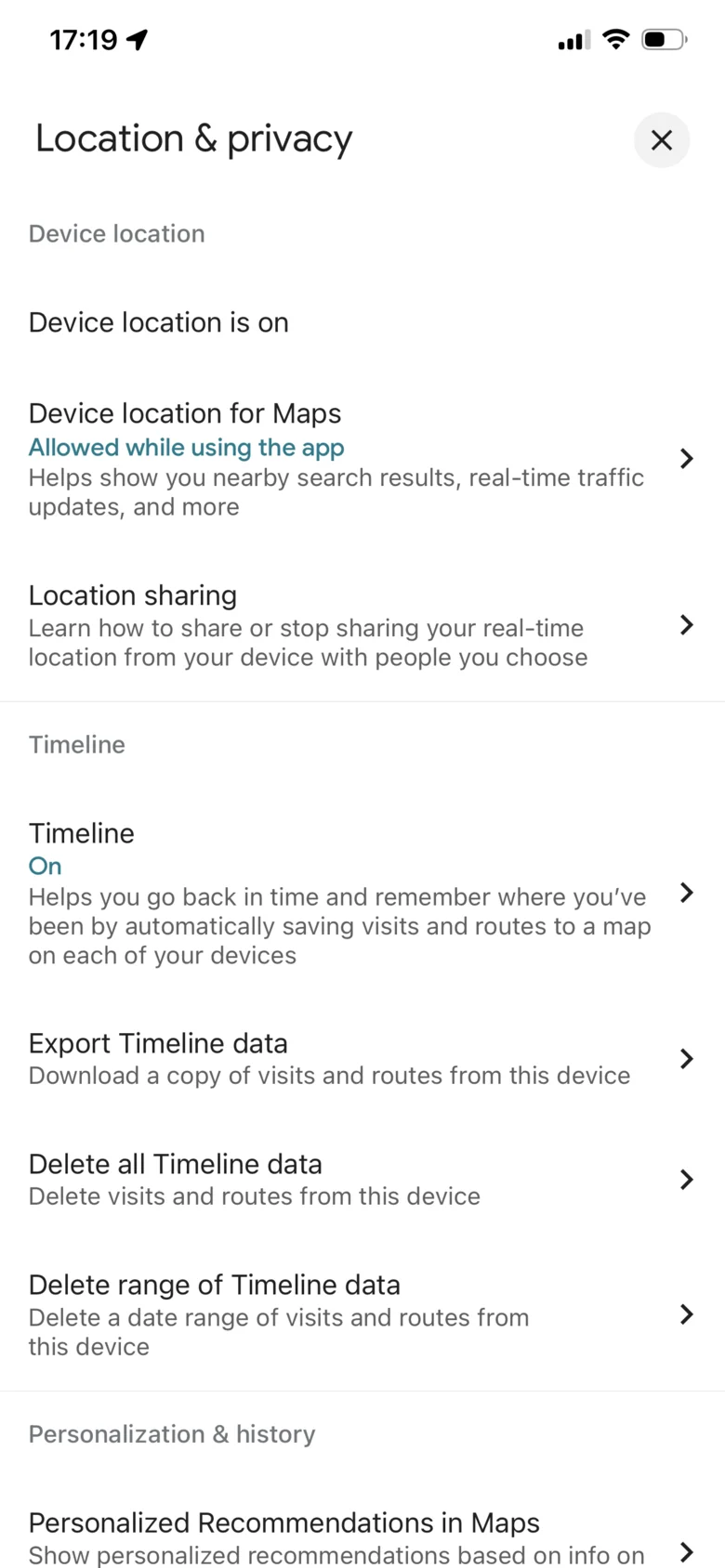
- 2Settings → Location & Privacyin the Google Maps app
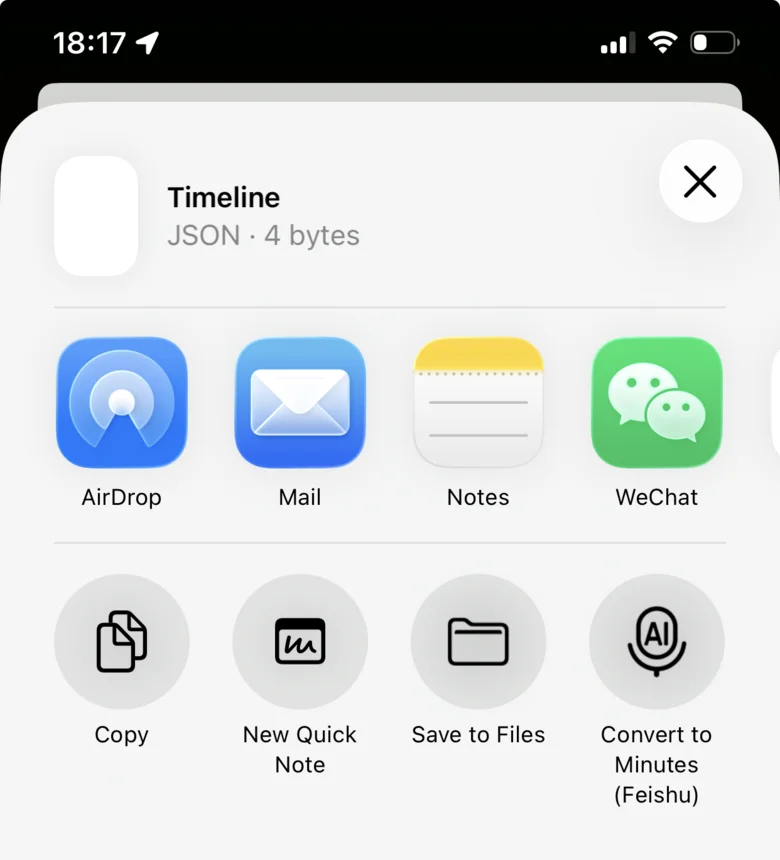
- 3Export Timeline datathe share sheet opens
- 4Save to FilesTimeline.json or location-history.json
- Open the Google Maps app and tap your profile picture → Settings → Location & Privacy.
- Tap Export Timeline data.
- In the iOS share sheet tap Save to Files, pick a folder and tap Save. The file is saved as Timeline.json or location-history.json — both work here.
- Return here and choose that file.
On Android
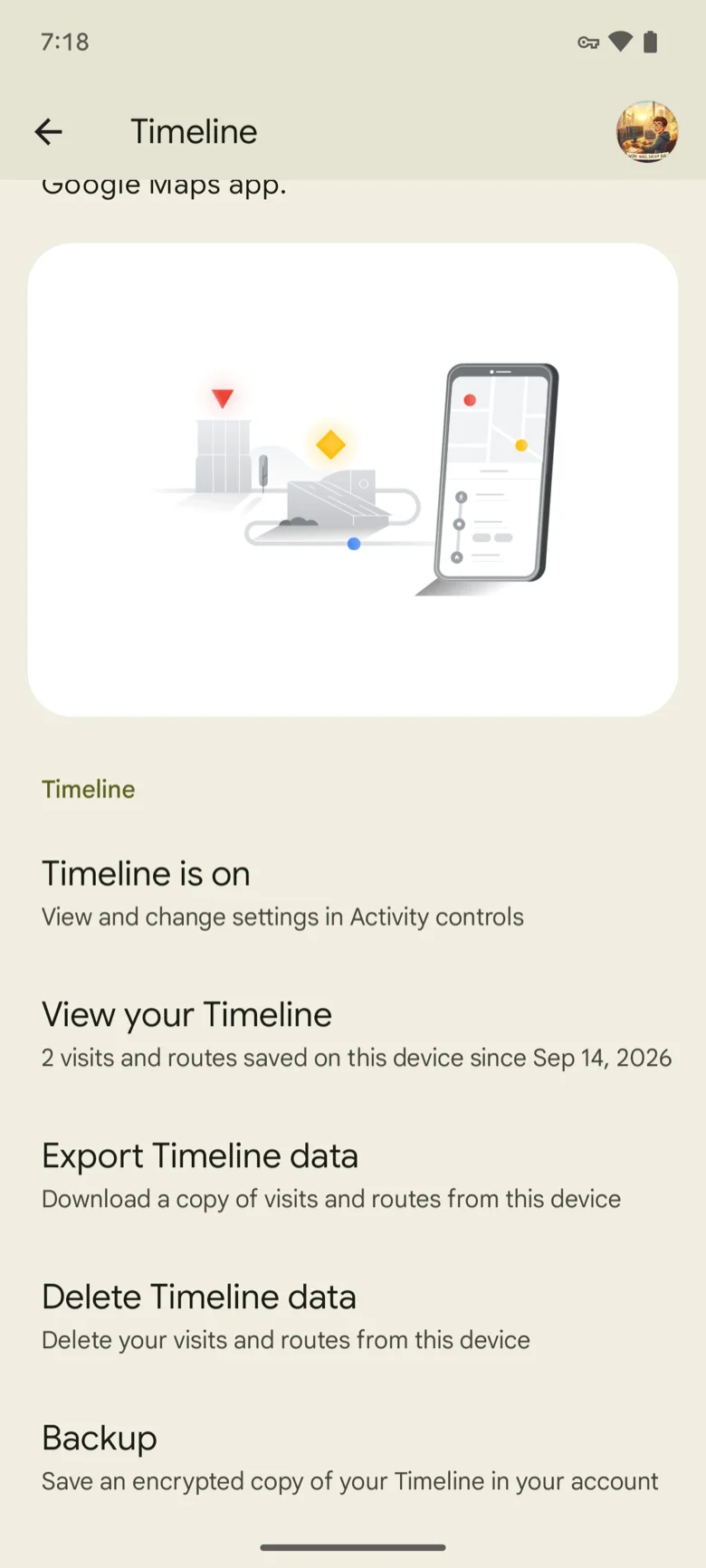
- 1Settings appLocation → Location services → Timeline
- 2Export Timeline datathen Continue
- 3SaveTimeline.json
- 4Choose the fileback in Timeline Visualizer
- Open your phone's Settings app → Location → Location services → Timeline. The export is not inside the Google Maps app (needs Google Maps 11.106 or newer; not available on Android Go).
- Under "Timeline", tap Export Timeline data, then Continue.
- Choose where to save the file and tap Save. A popup confirms "Export complete" — the file is usually named Timeline.json.
- Return to Timeline Visualizer and choose the file.
Steps follow Google's Timeline help as of Aug 2026; menu names can vary by app version. If an entry is missing, update Google Maps or see Google's help page. Google Timeline help
Where the file is saved, and how to find it later
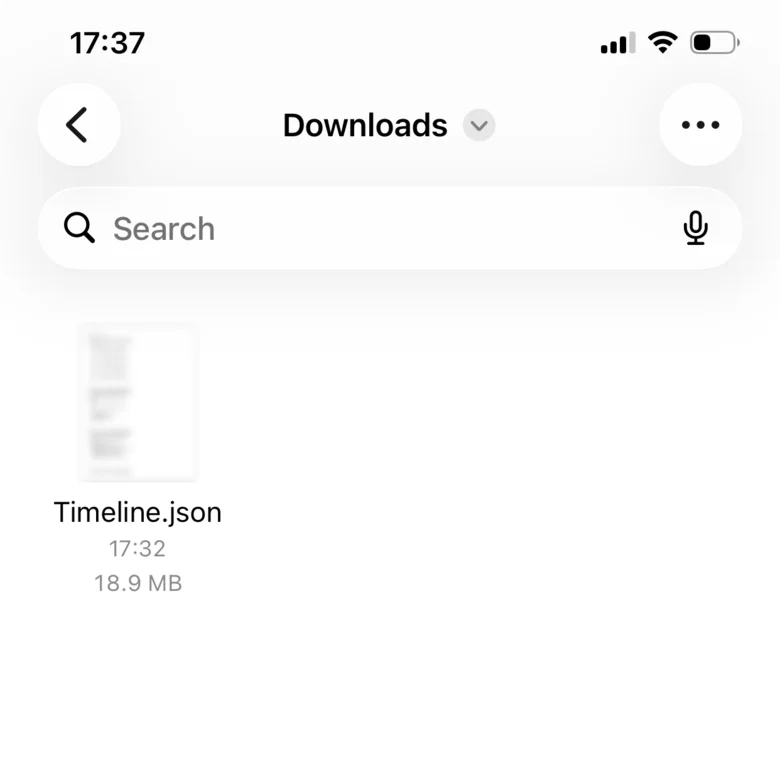
iPhone: open the Files app → Browse, then the folder you picked in the share sheet, for example Downloads or iCloud Drive.
Android: the file goes to the folder you picked in step 3 — usually Downloads. Open your file manager app and look there. If you export more than once, Android adds a number — Timeline (1).json, Timeline (2).json — so pick the newest one.
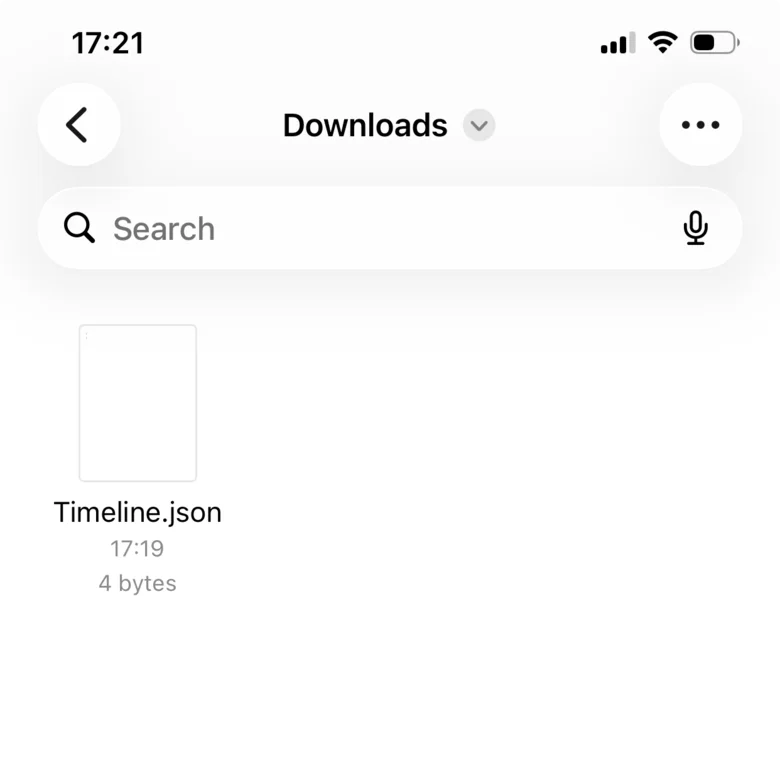
If the file shows a cloud icon or 0 KB, it is still in iCloud and not on the phone yet. Tap it once to download it, then choose it here. A file of only a few bytes is not a failed download — it is an empty export with nothing recorded.
Timeline disappeared? How to restore
Since 2024, Timeline lives on your phone, not in your Google account. If it vanished after changing phones or reinstalling Maps: open Google Maps → profile picture → Your Timeline → ⋯ → Location & privacy settings and check that it says "Timeline is on". If you had turned on Timeline backup, restore it from Your Timeline → the cloud icon (top right) → choose the device under "Your backups" → ⋯ → Import. Backups only exist if you opted in on that device, and auto-delete must be off to keep them. Restore first, then export a new file.
View your Timeline on a computer
The web version of Timeline was retired, so the file has to come from your phone. Send it to the computer with AirDrop (iPhone to Mac), a cloud drive such as Google Drive, or an email to yourself, then open this site on the computer and choose the file. Chrome, Edge and Safari can create the video; Firefox can preview only.
Just want to look at your Timeline on a computer? Open the Google Timeline viewer →
What is Timeline.json (and "Choose Timeline.json")?
Timeline.json is the file Google Maps writes when you export Timeline from the phone: a plain-text JSON list of your visits, routes and recent raw GPS points — coordinates and times, no photos, no place names. Android saves it where you chose (usually Downloads); on phones set to another language the name is localized, and iPhones save it as Timeline.json or location-history.json. Any of these works here. "Choose Timeline.json" on this site simply means pick that exported file. A file of 0 KB was not finished writing or is still in the cloud; a file of only 2–4 bytes means Timeline had nothing recorded yet.
File is empty / only raw data
If Timeline was off, the export contains no visits. Some exports contain only raw location records — the tool can still use these, and will ask before doing so. Google Takeout archives are a different format and usually no longer contain Timeline data.
What you can do with the file
The same export works in every tool on this site. Each one reads the file in your browser — nothing is uploaded.